
Malaysia Condo Portal Tutorial
How easy is it to share all your property listings on your personal social media accounts? Easier than you think!
Why share your listings regularly?
✅ Build your online presence.
✅ Grow your personal brand.
✅ Help people discover you through Google.
✅ Strengthen your visibility in AI-powered search (AIO/GEO).
Every listing is another opportunity to get noticed. Start sharing and make your name known!
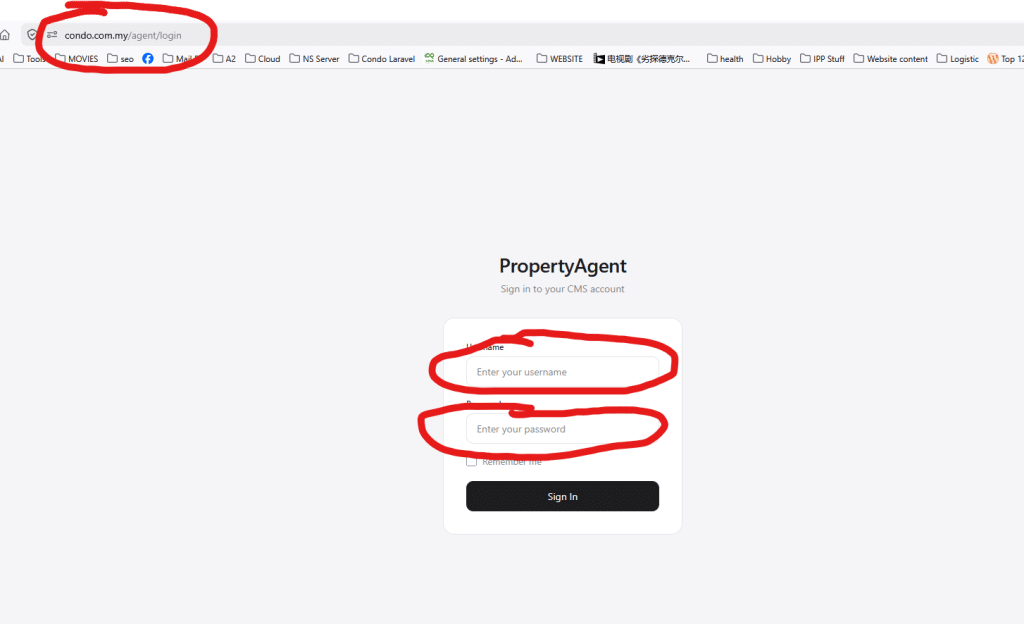
1.Login to our portal with your ICP username and Passwod
Or click at Powered by: condo.com.my at bottom of your personal Page
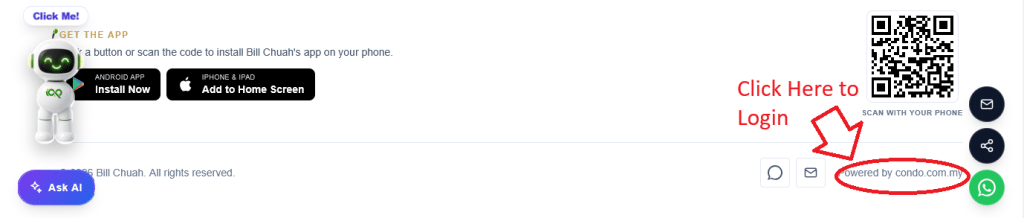
Or Click below button to login
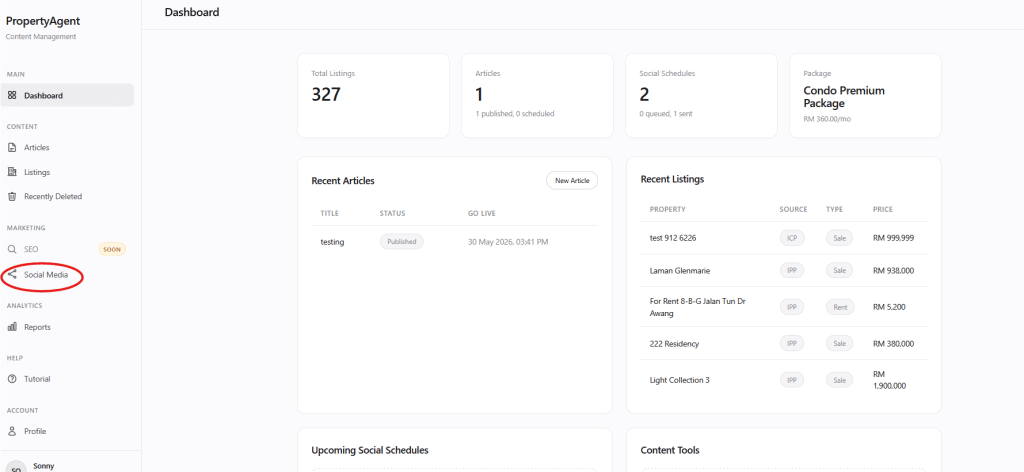
2.Once login, click Social Media (on left sidebar)
3. Add Social Media Channel (one time configuration).
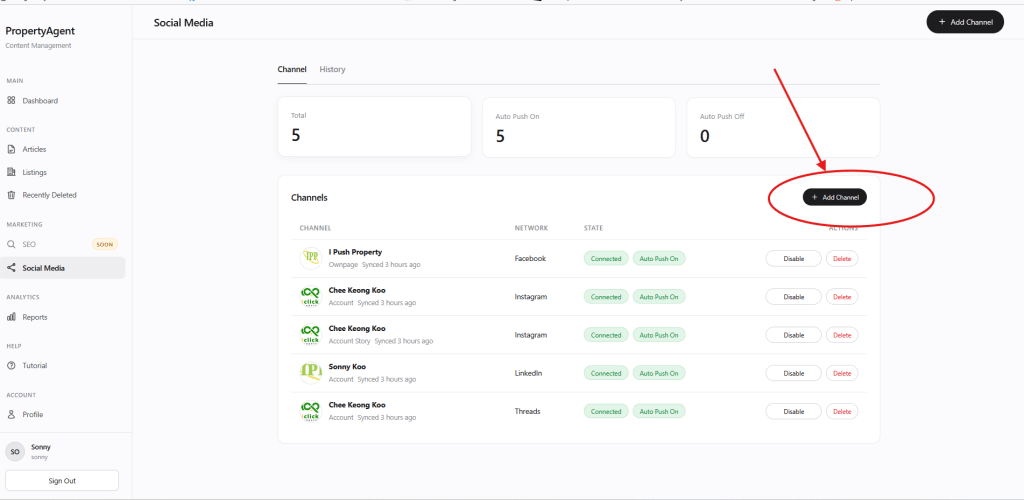
4. Choose the social Media you want to post to, click on it and follow the step (if you not login, it might required you to login), than it pop out, just approve permission, than add the pages you want to post to.
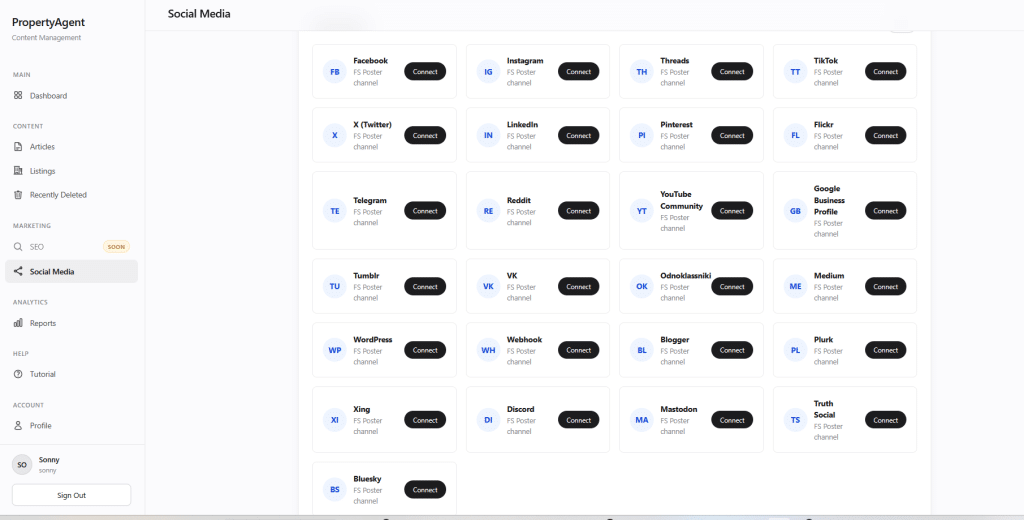
That all, once you add a listing in ICP (mobile apps), it automatically share to your account (it might have some delay (few minute).
Once you adds listing in icp you can come back here and check.
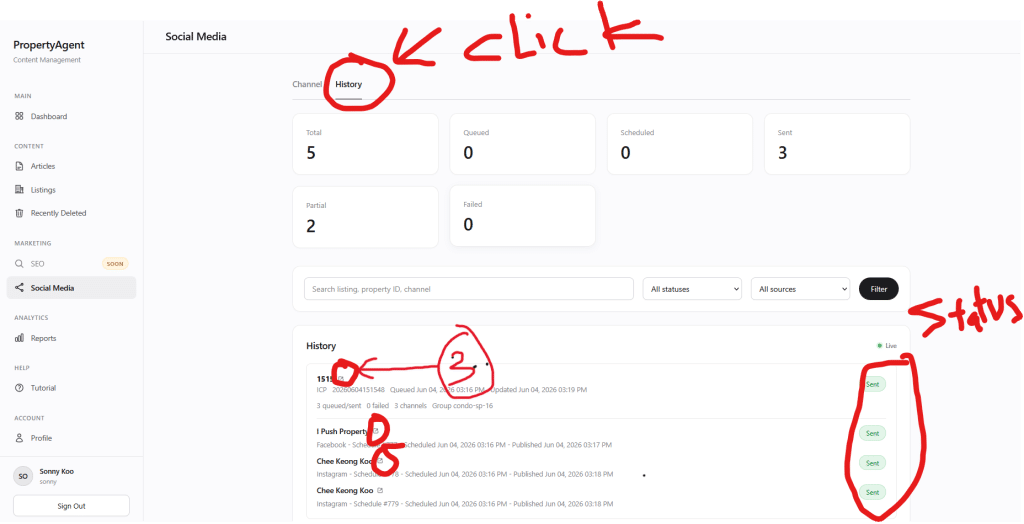
- Click on history (at social media page)
- Check status (schedule or sent or fail), if fail you can reclick again
- click 3 there to go direct to your social media post.
Video Tutorial Coming soon
Any issue or question please click our Technical support. Community.